

Insta360 Microphones: Your Voice, Your Style, Your Content
Imagine two videos filmed in the same place. Both look great. In the first, background noise dominates and you struggle to make out what the creator is saying. In the second, their voice guides you through the story. The difference is not the image resolution. It is how easily you can listen.
A wireless microphone deserves a place in your creative setup from the start, rather than being an afterthought when a recording sounds disappointing. Voice quality matters, but so do a straightforward camera connection, the ability to back up your audio and equipment that fits the way you work.
Our Insta360 Mic Air, Insta360 Mic and Insta360 Mic Pro microphone range meets different needs, from lightweight everyday recording to more advanced audio production. Not everyone needs the most sophisticated model. What matters is choosing equipment that helps you tell your story, rather than making the process more complicated. [1]
Start with how you shoot, then choose your microphone
A solo vlog, a guest interview and a multi-camera production are three different jobs. For the first, getting started quickly is the priority. For the second, you need control over both voices. For the third, you also need to organise audio across several devices.
That is why we suggest starting with three questions: how many people are you recording, what will you connect the microphone to, and can you repeat the take? Only then should you compare individual features. Too much equipment can get in the way of a spontaneous vlog. For an important interview, an additional audio recording may matter more than keeping your setup as small as possible.
In practice
Do not choose a microphone solely for the camera you own. Choose it for the content you want to create, too: on your own, with a guest or with a larger team.
Three models, three different priorities
Insta360 Mic Air: keep your setup light
Mic Air puts simplicity and portability first. The transmitter weighs approximately 7.9 g, and its compact design suits everyday vlogs and recording on the move. It is an option for creators who want to add an external microphone to the way they shoot without building a complex setup. [1]
One important limitation: Mic Air does not offer internal recording in the transmitter. When an independent audio copy is essential to your production, consider Mic or Mic Pro instead. Explore the available configurations in our Insta360 Mic Air range. [1]
Insta360 Mic: everyday flexibility
Insta360 Mic combines a customisable E-Ink display with a microSD card slot. Insert a suitable card and you can enable local recording, including 32-bit float. Without a card, you can still transmit audio to a compatible device over Bluetooth or via a receiver. [2]
It is a model worth considering when you record in different locations and want to decide when the camera recording is enough and when you also need a separate audio file. A removable card offers a different way to manage your recordings than fixed internal storage.
Insta360 Mic Pro: more control over your audio
Mic Pro features a three-microphone array, selectable pickup modes and 32 GB of built-in storage. It also offers internal 32-bit float recording. These features are designed for creators who need more recording flexibility, not just a wireless connection. [3]
Consider it for interviews, business content and more complex productions. Not because a “Pro” label automatically improves every recording, but because its additional capabilities may match specific production requirements. Explore the available Insta360 Mic Pro configurations.
Your camera and microphone, working together
One particularly practical option is Insta360 Direct Connect, which connects a transmitter directly to a compatible camera without a separate receiver. For example, Insta360 Mic supports this connection with X6, X5, Luna Ultra, Luna Pro, GO Ultra and Ace Pro 2. X6 and Luna cameras can connect to two Mic transmitters at the same time. [2]
Fewer components simply mean less equipment to prepare and carry. When working with other cameras or phones, a receiver and the appropriate wired connection may be useful. Choose the connection method for your specific microphone and recording device — “wireless” does not mean that every model works with everything in exactly the same way.

Make your microphone part of your style
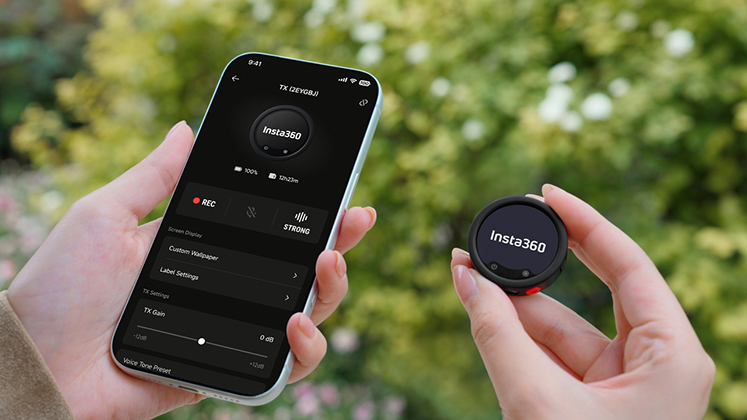
A visible microphone does not have to be something you try to hide. The E-Ink display on Mic and Mic Pro lets you show your own graphic, such as your channel logo. That makes the microphone a deliberate part of your on-camera look. [2] [6]
On a travel channel, it can become a creator’s signature. In a business interview, it can carry the identity of the series. When using several transmitters, different graphics can also help you tell them apart. None of this replaces good audio, but it opens up another creative possibility: the equipment in your video can reflect your identity rather than looking like an afterthought.
Protect your audio before you need a backup
A guest interview, a spontaneous reaction or an important statement cannot always be recorded again. In these situations, local recording in the transmitter should be part of your preparation, not a feature you investigate after the shoot.
Mic saves this recording to a microSD card, while Mic Pro uses its built-in storage. Once local recording is running, the file does not depend on an uninterrupted wireless link to the receiver. You still need sufficient battery power, free storage and confirmation that recording has actually started. Having the feature alone does not create a backup. [1] [6]
The 32-bit float format provides considerable latitude when adjusting the level of a properly captured signal in post-production. However, the numerical range of a file should not be confused with unlimited capabilities throughout the recording device. [5]
Good to know
32-bit float does not repair clipping that has already occurred in the microphone capsule or analogue circuitry. Nor does it mean that audio transmitted to a camera will be saved there in the same format. The local file and the camera recording are two separate recordings. [5] [3]
From one person to a larger production
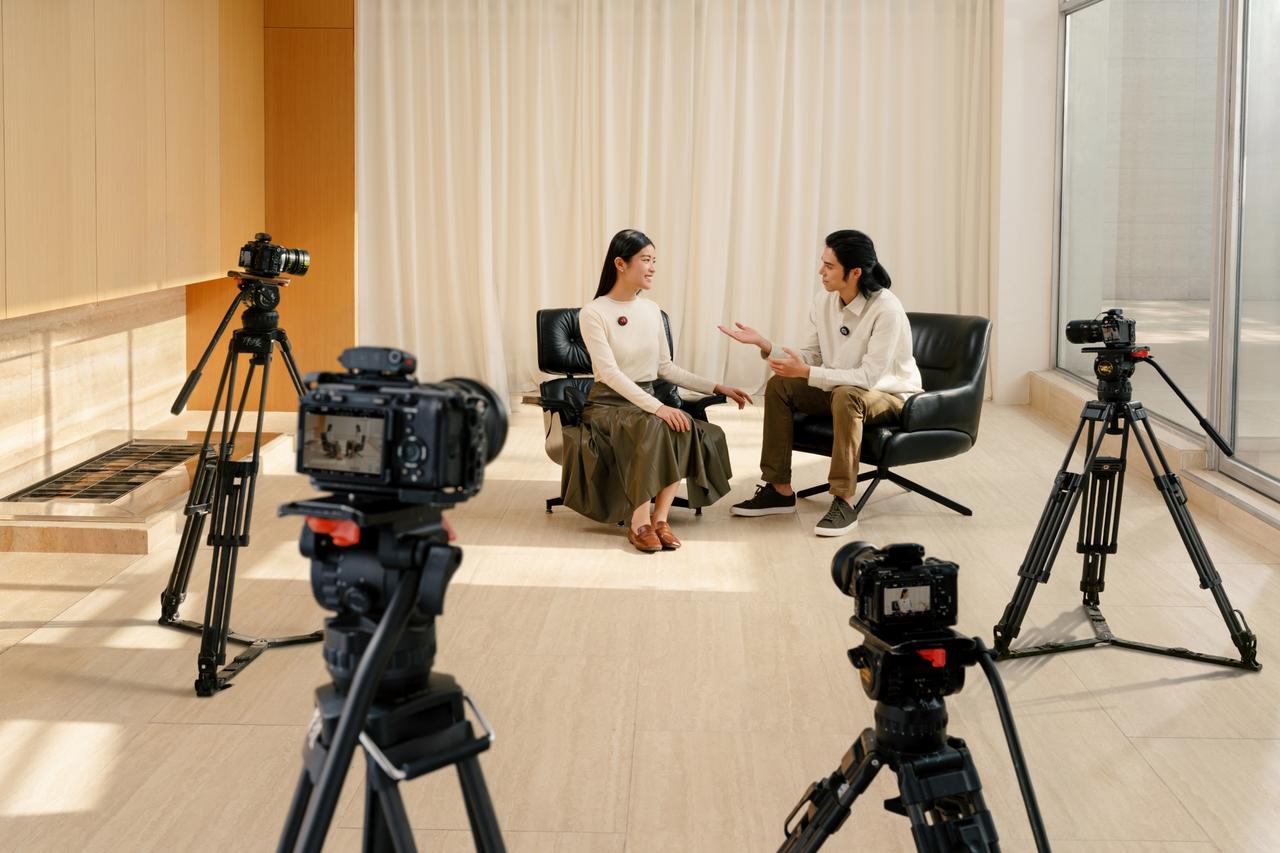
When you start recording group conversations, adding more microphones is only part of the task. You also need to consider whether the voices will remain separate and whether you can process each one independently during editing.
The Mic and Mic Pro system supports configurations with up to four transmitters connected to one receiver. Supported setups can combine transmitters from both models. This gives you a useful way to expand when more guests join the host. [2]
Four connected transmitters do not automatically give you four separate tracks in every camera. You need the appropriate output mode and a device or software that supports four-channel recording. In the Mic and Mic Pro documentation, this is Q mode, or Quadraphonic. [4] [3]
AI helps, but preparation still matters
Mic and Mic Pro use AI noise reduction supported by a dedicated audio processing chip. It is designed to reduce background interference and improve voice clarity. It is still a tool to adjust to the situation, not a reason to skip checking your recording. [2] [3]
Our advice: before the actual take, record a short test in the location where you will be filming. Check that the microphone is not rubbing against clothing, that the voice sounds natural and that the selected noise reduction level suits the content. For an important recording, listening to a test is more reliable than simply assuming everything is connected correctly.
Before you press REC
- Confirm that the camera or app is using the correct microphone.
- Check how the voice sounds in the actual recording location.
- When you need an audio backup, start local recording and check the available storage.
Documentation and resources
- Insta360 Mic, Mic Pro and Mic Air comparison.
- Insta360 Mic — features, recording and compatibility.
- Insta360 Mic Pro — system capabilities and specifications.
- Mic and Mic Pro manual — audio channel modes.
- Sound Devices — how 32-bit float recording works.
- Insta360 Mic Pro — customisation, internal recording and photography.
Your voice deserves its own place in the frame
A good audio setup does not have to be the largest or the most complicated. It should suit what you create: everyday vlogs, guest interviews or productions that need an extra layer of audio protection.
Choose simplicity when it helps you record more often. Choose greater control when the production demands it. Whichever model you use, give sound the same care and attention as your visuals — before the first take.
Explore the Insta360 microphone range and choose a setup for the content you create.