

Insta360 Mic: Your Voice, Your Style and Backup Audio
A conversation you cannot recreate. A vlog filmed on the move. A client project where the sound needs to be as polished as the picture. In situations like these, sound quality is only part of the story. You also need flexibility and an extra layer of protection for your recording.
Introducing Insta360 Mic — our new wireless microphone, which joined the Mic Air and Mic Pro family on 22 October 2026. [1]
Watch the Insta360 Mic video on YouTube
A microphone that shows your style
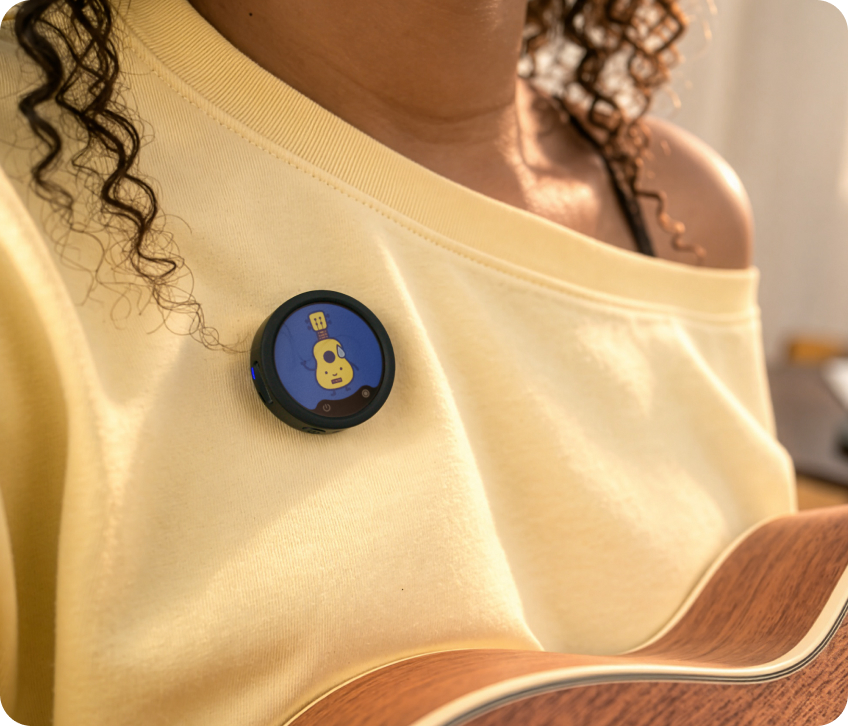
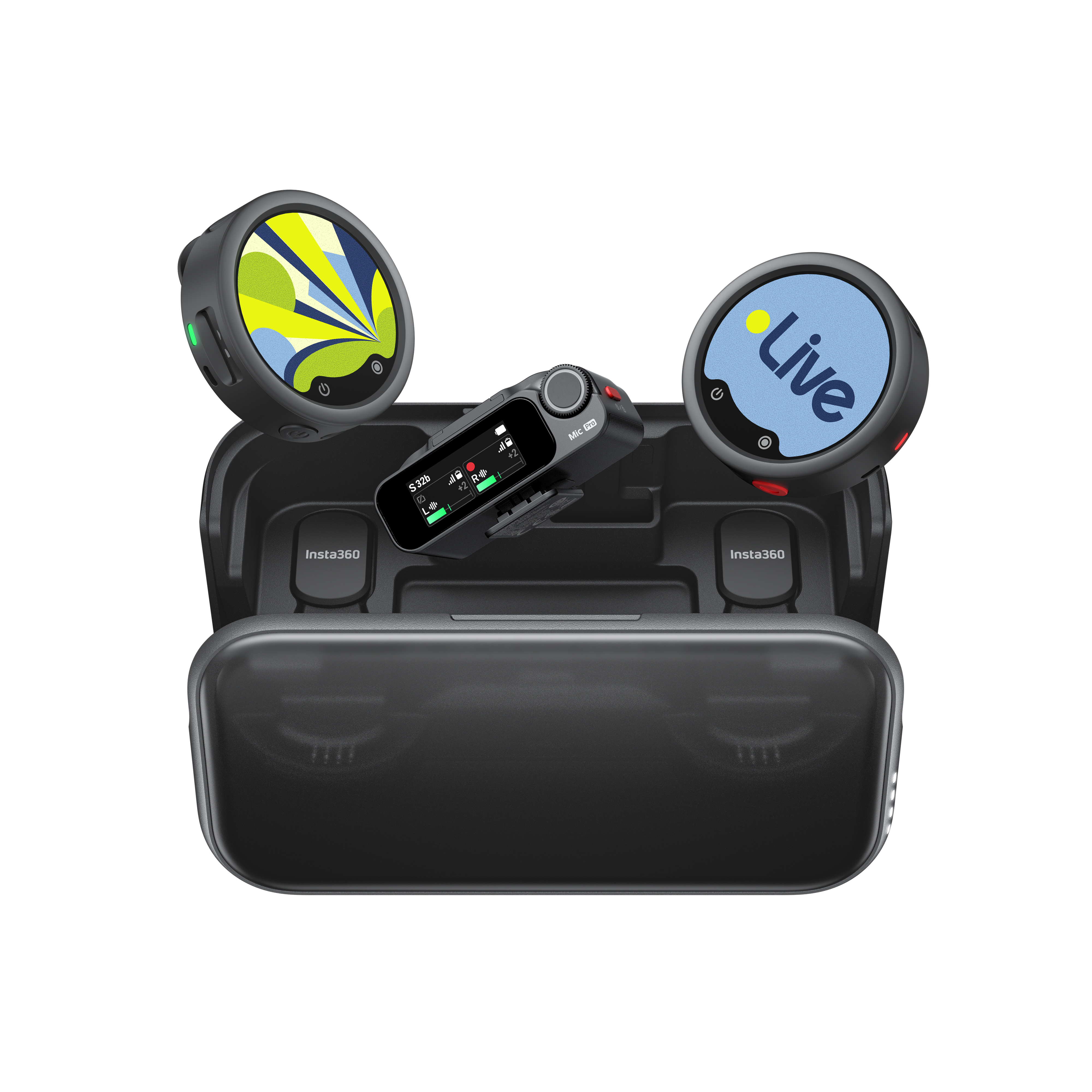
The E-Ink display can show your channel logo or a custom illustration. [1] Instead of treating a visible microphone as something to hide, you can make it an intentional part of the shot.
Interviewing a guest? Use your show's logo. Filming a product video? Add your brand identity. Recording a casual vlog? Choose something that feels like you. It is a small detail, but another way to give your content its own character.
microSD: an extra copy of your audio
You do not need a card to transmit audio. Without one, you can still record sound on a connected camera or a device using the receiver. Insert a card and enable internal recording, and the transmitter can also save its own audio file, including in 32-bit float. [1]
Why keep a second copy? Imagine a brief wireless dropout in the middle of an interview. A local recording lets you use the audio saved on the transmitter rather than asking your guest to repeat an answer. There is one essential condition: internal recording must actually be running. [4]
An important distinction: 32-bit float applies to the local recording on the microSD card, sold separately — not to the Bluetooth transmission or the file recorded by the connected camera. [2]
What does 32-bit float actually offer?
A floating-point format provides substantial headroom when adjusting audio levels in post-production. Samples above the nominal 0 dBFS level do not have to be irreversibly clipped in the file, as they would be in a fixed-point recording. You can bring the level down in compatible editing software. [5]
That is not a promise that every recording can be rescued. The file format alone cannot restore information lost when the microphone or an earlier stage of the audio signal path is overloaded. Nor can it replace wind protection or correct microphone placement. Treat the headroom as a safeguard, not a reason to skip your sound check.
More control over your voice
Insta360 Mic uses AI noise reduction supported by a dedicated audio-processing chip. It also offers two automatic gain control modes: Automatic, which helps prevent clipping, and Dynamic, which evens out changes in volume. Three voice tone presets are available too: neutral, Rich and Bright. [1]
Do not start by switching on every enhancement at once. Record a short sample in your location and listen for a natural voice sound. Position the microphone close to the speaker, away from fabric that could rub against it, and fit a windscreen when recording outdoors. These are the basics you should not leave to an algorithm alone. [4]
For more on combining microphone placement with audio processing, read our guide to how noise reduction changes your recordings (in Polish).
Connect to an Insta360 camera — no receiver needed
Insta360 Direct Connect sends audio directly over Bluetooth to X6, X5, Luna Ultra, Luna Pro, GO Ultra and Ace Pro 2. X6 and both Luna cameras support two transmitters simultaneously in this mode. [1]
For creators, that means a practical choice: when filming with a compatible camera, you can put together a setup without a separate receiver. For a two-person conversation recorded on X6 or a Luna camera, each speaker can use their own transmitter. It is a particularly useful arrangement when you regularly change locations and want fewer components to set up.
What about smartphones and other cameras?
The receiver lets you connect the system to a smartphone using the appropriate adapter, or to a camera through its 3.5 mm microphone input. Choose the connection that suits the device you actually use to film. [4]
Phone Bluetooth is a different mode. It requires a compatible third-party app and records audio at 16 kHz. It does not work with the phone's native camera app. This is not the 48 kHz Direct Connect mode available on compatible Insta360 cameras. [2]
From two-person interviews to larger productions
One receiver can work with up to four transmitters, including a mix of Mic and Mic Pro. The system also supports a setup in which two transmitters send audio to up to four receivers. [1]
The first option suits a conversation with more participants. The second lets you record the same speakers on multiple cameras. They address two different needs: more people in front of the lens, or more viewpoints on the same conversation.

Four transmitters do not automatically mean four separate tracks in the camera. In stereo mode, when more than two transmitters are connected, TX1 and TX3 feed the left channel, while TX2 and TX4 feed the right channel. Four-channel output requires a compatible Sony camera and the separately sold Camera Adapter. [2]
Battery life: what the figures mean
The transmitter runs for up to 13 hours, or up to 34 hours with top-ups from the charging case — not without breaks to recharge. Testing was carried out at close range, with noise reduction and internal recording switched off, without interference, and with the receiver connected to the camera using a 3.5 mm cable. [2]
For an important shoot, allow a comfortable margin in your charging plan. The features you need during an interview or event matter more than trying to match the maximum runtime in the specifications.
Insta360 Mic, Mic Air or Mic Pro?
The new model does not replace the entire family. It gives you another option between a minimal, lightweight setup and a more advanced recording system. The most practical differences are how each model records audio and how its microphone system is designed. [3]
On mobile, swipe the table sideways to compare all three models.
| Feature | Insta360 Mic Air | Insta360 Mic | Insta360 Mic Pro |
|---|---|---|---|
| E-Ink display | No | Yes, customizable | Yes, customizable |
| Recording storage | No internal recording | Removable microSD card | 32 GB built-in storage |
| 32-bit float recording | No | Yes, locally on the card | Yes, locally in the transmitter's memory |
| Microphone configuration | One omnidirectional microphone | One omnidirectional microphone | Three-microphone array |
| Selectable pickup patterns | No | No | Yes |
Feature comparison: model comparison guide and series specifications.
Mic Air is worth considering when simplicity and a compact setup matter most. Mic suits creators who need their own audio backup and prefer removable cards. Mic Pro makes sense when selectable pickup patterns would be useful, or when you prefer built-in storage to memory cards. [3]
Before choosing a configuration, establish how many speakers you want to record, which device will receive the audio and whether you need separate files for editing. That is a better starting point than choosing by model name alone.
Sources and technical details
- Insta360 Mic — launch announcement, 22 October 2026.
- Insta360 Mic — features, specifications and test conditions.
- Insta360 Mic, Mic Pro and Mic Air comparison.
- Setting up and connecting a wireless microphone.
- 32-bit float files explained — Sound Devices.
Choose a microphone for the way you create
Start with how you work: short solo videos, conversations with guests or larger shoots with several cameras? Decide what is essential and what would simply be a bonus.
Insta360 Mic is worth considering when you want customization alongside a local audio backup on a removable card. What matters most is not how many features a system has, but whether you will use them in your own recordings. [3]
Browse microphones in the official Insta360.pl store (Polish-language page).