

How to Edit Vlogs Faster: A Practical Insta360 Workflow
October 5, 2026
You get back from a trip, open your gallery and instead of seeing a finished vlog, you see hundreds of files. Several nearly identical shots of the same street, a three-minute walk where you only need five seconds, POV clips, 360° footage waiting to be reframed, and those great moments you remember recording but have no idea where to find.
This is where editing often starts taking longer than the filming itself. The solution is not simply a faster computer, another editing program or learning more effects. The fastest edit starts before you even press REC.
If every clip has a purpose, each camera has a specific role and AI tools help with the first round of footage selection, it becomes much easier to turn travel footage into a vlog, Reel, Short or family video.
The key takeaway
The goal is not to record fewer important moments. It is to stop recording the same thing endlessly. Shorter, more intentional clips mean less footage to review, faster selection and a much simpler edit.
Why does vlog editing take so long?
When travelling, it is natural to want to capture everything: the market, the beach, the hotel, the road, dinner, family reactions, the city skyline and the unexpected moment that may never happen again. Recording another clip feels safer than risking missing something.
The problem appears later. The more footage you collect without a clear purpose, the more decisions you have to make during editing.
- Too many similar clips – several recordings show practically the same thing.
- Clips that are too long – the best five seconds are buried inside a multi-minute recording.
- No clear story – you have attractive footage, but not enough shots explaining where you are, what is happening and why it matters.
- Every camera does the same job – your phone, POV camera and 360° camera record similar angles instead of complementing one another.
- 360° footage offers too many choices – freedom to reframe is a huge advantage, but manually choosing every perspective also takes time.
- AI is used randomly – automatic editing tools save the most time when you give them the right job.
So before your next trip, it is worth changing not just how you edit, but how you think about filming in the first place.
Three types of shots are enough to build a story
You do not need a detailed script for every minute of your trip. A simple three-shot structure can work extremely well: POV, a narrative shot and a wide shot of the whole situation.
| Shot type | Best camera role | What does it add? | Example |
|---|---|---|---|
| POV | Insta360 GO Ultra | Shows the experience from your perspective and lets you record hands-free. | Walking into a market, opening a hotel room, cycling or picking up food. |
| Narrative shot | Insta360 Luna Ultra | Shows people, reactions and information that move the story forward. | Walk-and-talk, travel commentary, a family reaction or introducing a location. |
| Wide / follow shot | Insta360 X6 | Captures the entire environment and lets you choose the right frame later. | A city square, beach, group walk, event or a scene with action happening in several directions. |
This approach gives you variety without recording everything with every device.
Luna Ultra as the camera that drives the story
A good vlog needs a main camera. This is the camera you use for the moments that tell viewers where you are, what you are doing and what has just happened.
Insta360 Luna Ultra fits this role particularly well. Its mechanical gimbal stabilization helps keep walking shots smooth, while traditional framing lets you deliberately compose the shot before you press record.
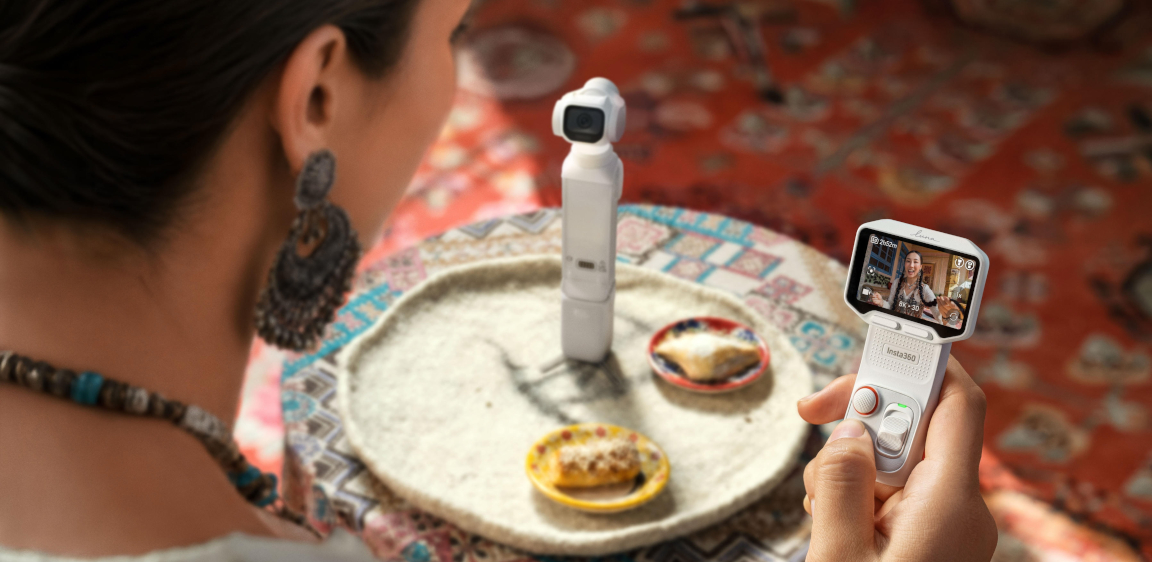
Instead of recording a several-minute walk, try capturing a few specific building blocks for your story:
- a short establishing shot showing where you are,
- a few seconds of commentary or walk-and-talk footage,
- a reaction from someone travelling with you,
- a detail such as food, a sign, an interior, a ticket or something distinctive about the location,
- a short closing shot for that part of the day or trip.
When you open the footage later, part of the story is already there. You do not have to discover it from scratch on the timeline.
In practice
The best camera for faster editing is not always the one that records the most. Often, it is the one that lets you capture a clear, ready-to-use piece of the story from the start.
GO Ultra: POV should be short, not endless
Insta360 GO Ultra works brilliantly when you want to show a moment exactly as you experience it. The tiny camera can record hands-free, so everyday activities do not suddenly turn into staged scenes just because you want to film them.
That does not mean you should start recording in the morning and stop at night.
A much better approach is to treat GO Ultra as a camera for short POV moments:
- walking into a restaurant or local market,
- opening your hotel room,
- getting onto a train, boat or bus,
- picking up food, tickets or equipment,
- a few seconds of cycling or walking,
- a spontaneous family moment that would be difficult to capture with a camera in your hand.
Most of the time, a few seconds is enough. Record the beginning of the action, capture the important moment and stop before the clip turns into another multi-minute file you will have to review later.
AI Highlights Assistant helps you find the best moments
GO Ultra can also use AI Highlights Assistant. The feature analyses your footage while recording and identifies standout moments that are easier to find later in the Insta360 app.
This is particularly useful for POV footage because these are exactly the clips that are easy to leave running for too long. Instead of manually scrubbing through everything later, you can start with the highlighted moments.
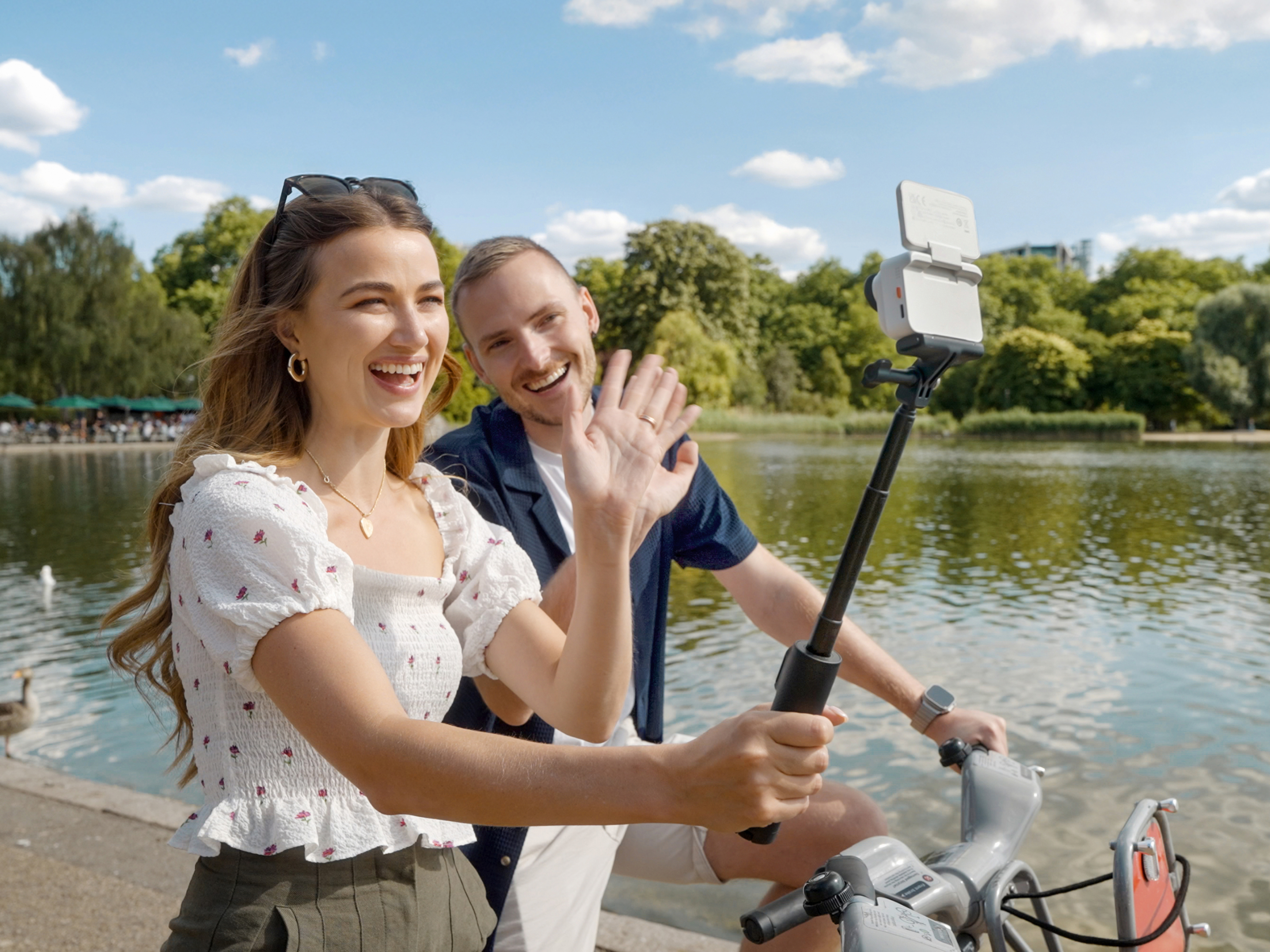
X6: capture everything when you do not know where the action will happen
There are situations where traditional framing is little more than guesswork. Kids are running around on the beach, someone approaches from another direction, several things are happening at once in a city square, a group is walking through a crowded street or the action in a sports scene is simply impossible to predict.
This is where Insta360 X6 has a major advantage. Instead of trying to predict the right frame while recording, you capture the full 360° scene and choose the perspective later.
That changes the way you shoot. You do not need to repeat the same moment several times simply because the camera happened to be pointing in the wrong direction the first time.
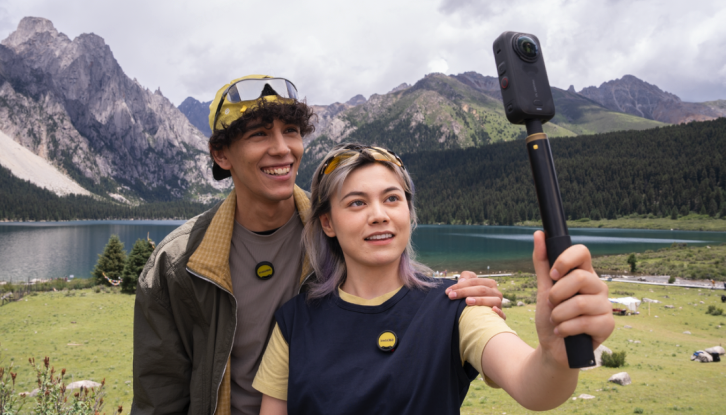
AI Director can make the first selection for you
X6 also features AI Director, which helps identify interesting moments in your footage and prepare an initial version of the video. That does not mean automation should make every creative decision for you.
Its biggest advantage is much simpler: you do not have to start with an empty timeline.
You can use the automatically generated result as your first selection and then refine only the parts that actually matter to you.
If you want to explore this workflow in more detail, read our guide to editing and reframing 360° video.
How long should your shots be?
One of the simplest changes can save more editing time than another plugin or a faster computer: stop recording long clips just because you can.
The ideal length always depends on the situation, but the following ranges are a useful starting point.
| Type of footage | Practical length | Examples |
|---|---|---|
| Quick detail | 3–5 seconds | Food, signs, tickets, hands, luggage or an interior detail. |
| Everyday travel moment | 5–15 seconds | Walking, a city view, a reaction, a market or entering a location. |
| More important scene | 30–60 seconds | An activity, viewpoint, interesting situation or family moment. |
| Longer event | As long as it genuinely needs to be | A performance, ride, timelapse, full activity or exceptional event. |
These are not strict limits. The more important rule is that every clip should have a reason to exist.
Before you press REC, answer one question
What job will this clip do in the finished video?
It is a simple question, but it can dramatically reduce the amount of footage you need to review later.
- If the clip needs to establish the location, shoot a short establishing shot.
- If it needs to explain what is happening, record a short piece of commentary.
- If it needs to show the experience from your perspective, use POV.
- If the action may happen in any direction, use X6.
- If you already have three nearly identical shots, you probably do not need a fourth.
A simple rule
You are not documenting every second of the trip. You are collecting the building blocks of a story. It is a small difference while filming and a huge difference when you start editing.
AI does not need to edit for you. Let it handle the first pass
AI saves the most time not when we hand over the entire creative process, but when we use it for the repetitive work: reviewing footage, finding standout moments and creating a useful first version.
In the Insta360 app, you can use tools including:
- Auto Edit – analyses selected footage, identifies standout moments, chooses frames and creates an automatic first edit;
- FlashCut – helps quickly assemble clips using ready-made templates;
- Shot Lab – lets you create creative effects and distinctive shots without building everything manually from scratch;
- AI Highlights Assistant on GO Ultra – helps identify the most interesting moments while you record;
- AI Director on X6 – helps analyse 360° footage and prepare an initial selection of the strongest moments.
If you want to explore more automated effects, take a look at our guide: Shot Lab in Insta360: Edits That Practically Make Themselves.
The best workflow is simple: AI handles the first pass, and you make the final decisions.
Do not wait until you get home to organise your footage
After a week of travelling, even a great memory starts losing the battle against hundreds of similar-looking thumbnails.
That is why it is worth spending a few minutes at the end of each day on a basic selection:
- mark your best clips as favourites,
- delete obvious mistakes and accidental recordings,
- flag the scenes you already know should make the final video,
- if you copy footage to a drive, organise it by day or location,
- do not create an elaborate folder system that you will never actually use.
“Day 1 – Krakow”, “Day 2 – Tatra Mountains” or simply “Beach”, “City” and “Journey Home” are often enough. The important thing is not to begin your selection a week later with one anonymous folder containing hundreds of files.
A complete workflow: from recording to finished vlog
If saving time is your priority, the entire process can be reduced to a few repeatable steps.
- Give each camera a role. One drives the story, another captures POV, while your 360° camera covers unpredictable situations.
- Record shorter clips. Most everyday travel shots do not need to run for several minutes.
- Do not repeat shots without a reason. If you already have a good one, move on.
- Mark your best footage every day. You will still remember what happened before and after each clip.
- Start editing with an automated first selection. Auto Edit, AI Highlights Assistant or AI Director can reduce the amount of material you need to review manually.
- Fine-tune the details afterwards. Reframing, music, pacing, colour and effects make more sense once you know which clips are staying.
- Export for a specific platform. Do not try to create one frame that is simultaneously perfect for YouTube, Reels and Shorts.
Which camera should do which job?
You do not need to take your entire camera kit on every trip. What matters more is choosing equipment based on the types of shots you actually want to bring home.
| Need | Solution | Role in a faster workflow |
|---|---|---|
| Main vlog story | Insta360 Luna Ultra | Stable, ready-to-use shots of people, places, commentary and scenes that drive the narrative. |
| Natural POV footage | Insta360 GO Ultra | Short hands-free clips showing the experience from the creator's point of view. |
| Unpredictable action | Insta360 X6 | Capture the entire scene and choose the best frame after the moment has happened. |
| Faster initial selection | Insta360 app + AI tools | Automatically identify useful moments and create a starting point for the final edit. |
The important question is not how many cameras you have in your bag, but whether each one has a clear purpose. If two devices spend the whole day recording almost identical footage, you are not really creating more options – you are mostly creating more work for yourself later.
Which camera best matches the way you shoot?
POV, traditional vlogging, sport, travel or full 360° capture? Choose your gear around the way you actually want to film instead of adapting your ideas to the camera.
Explore Insta360 camerasFaster editing starts before the edit
Coming home with hundreds of clips does not have to be part of making a travel vlog. A few simple habits can make the biggest difference:
- record shorter shots with a clear purpose,
- give each camera a different role,
- use GO Ultra for short POV moments,
- use Luna Ultra to drive the story,
- reach for X6 when you cannot predict where the action will happen,
- let AI make the first selection, then keep the final creative decisions for yourself.
The result is less time spent searching for the right shot and more time actually building the story you want to tell.
And that is the real goal: coming home with footage you actually want to edit – instead of another folder waiting for that mythical “free weekend”.